How to Drive Free Traffic From Pinterest to Your Blog starts with one simple shift, you stop treating Pinterest like a social app and start treating it like a visual search engine. When you do that, you can use Pinterest traffic to bring people to your blog for months or even years after you publish a pin.
The fastest way to get traffic from Pinterest is to match search intent, create pins that earn clicks, and connect each pin to a blog post that solves a specific problem.
That matters because blog traffic from Pinterest is often more durable than traffic from most social platforms. You are building an asset, not just posting content.
Key Takeaways
- Pinterest works best when you treat it like search.
- Clicks matter more than saves.
- Small systems create long-term traffic.
Why Pinterest Is Still a Strong Free Traffic Channel
Pinterest still works because people use it with intent. They search for ideas, solutions, products, and tutorials, which makes it a strong fit for bloggers and affiliate marketers who want qualified blog traffic.
How Pinterest Differs From Social Media Platforms
Pinterest is a visual search engine, not a feed-first social app. On Instagram or TikTok, your content usually depends on fast engagement and short attention spans, while Pinterest traffic can keep coming long after you publish.
That difference matters for your Pinterest marketing strategy. You are not trying to entertain people for a few seconds, you are trying to solve a problem they already typed into search.
Why Pinterest Traffic Often Lasts Longer Than Social Posts
A pin can stay searchable for a long time if it matches a useful topic and good keywords. That is why some bloggers use Pinterest for business growth instead of chasing trends that disappear in a day.
You also get more chances to rank with one blog post. A helpful post about a tutorial, list, or seasonal topic can send outbound clicks for a long stretch, especially if you refresh the pin design and keywords over time.
What Makes Pinterest Visitors Valuable for Bloggers and Affiliate Marketers
Pinterest visitors often arrive with a clear goal. They are looking for a fix, an idea, or a product comparison, which makes them more likely to read, subscribe, or click an affiliate link.
That is why Pinterest traffic can support more than pageviews. It can help you grow an email list, promote SaaS affiliate offers, and build a simple content system that keeps working in the background. As noted in Pinterest SEO: How to Turn Pins into Website Traffic, the platform performs best when you optimize for clicks, not vanity metrics.
Set Up Your Account and Website for Search Visibility
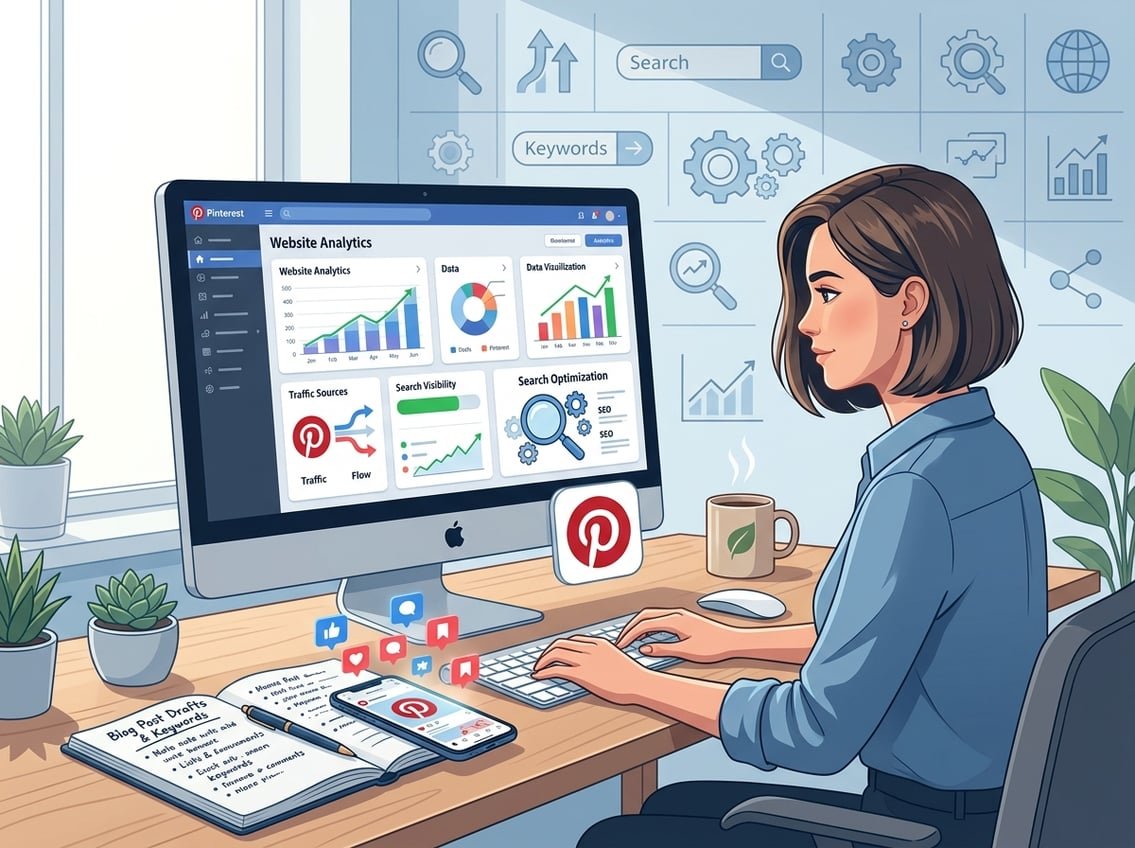
Before you try to grow, make sure Pinterest can connect your profile, boards, and blog in a clean way. Strong setup makes your content easier to find in Pinterest search and easier to trust once people land on your site.
Create a Pinterest Business Account the Right Way
Use a Pinterest business account so you can access analytics, claim your website, and use more search-focused features. Keep your profile name and bio clear, simple, and keyword-rich, so people know what your blog covers right away.
Your profile should reflect the topics you want to rank for. If your blog is about affiliate blogging, SEO, AI tools, or email growth, your Pinterest profile should make that obvious.
Claim Your Website and Connect Your Blog Properly
Claim your website as soon as possible. This helps Pinterest connect your content to your profile and gives you more control over how your blog appears on the platform.
Make sure your blog pages load correctly on mobile and that your links go to the right posts. A broken link or slow page can kill results even if the pin gets clicks.
Enable Rich Pins With Open Graph Metadata
Rich Pins pull extra details from your blog pages, which can help your posts look more complete on Pinterest. Article rich pins, product rich pins, article pins, and app pins all depend on the right page metadata, including open graph metadata.
If you use WordPress, check your SEO plugin and theme settings. The title, description, and image should match the post you want people to read.
Build SEO-Friendly Boards That Match Your Content Topics
Create boards around content themes, not random ideas. Use board titles that match real searches, such as blog traffic tips, Pinterest SEO, affiliate marketing, or AI tools for bloggers.
Your boards should help Pinterest understand what your account is about. That is why seo-friendly boards matter more than decorative boards that look nice but do not match your content strategy.
Find the Right Keywords and Content Angles Before You Pin
Pinterest SEO works best when you choose topics people already want. Start with search behavior, then build your pin titles, pin descriptions, and blog angles around that demand.
Use Pinterest Search for Keyword Research
Type a broad topic into Pinterest search and watch the autocomplete suggestions. Those suggestions show you what people actually look for, which makes them useful for pinterest keyword research.
You can also check related searches and the first few pins that appear. If several top pins use similar language, that is a clue that the phrase has search demand.
Choose Long-Tail Keywords That Match Search Intent
Long-tail keywords work well because they are more specific. Instead of targeting “Pinterest,” you might target “how to use Pinterest for blogging” or “Pinterest SEO for beginners.”
Those phrases are easier to match with a blog post and easier to turn into a pin that gets clicks. They also help you attract readers who are closer to taking action.
Turn Blog Posts Into Pinterest-Friendly Tutorials and Ideas
Pinterest favors useful, visual content such as tutorials, checklists, comparison posts, and how-to guides. If your blog post teaches a clear process, it is easier to turn into a pin that promises a result.
Think about what the reader wants to do next. A post can become a tutorial pin, a tip-based pin, or a simple idea pin that leads to a full article.
Plan Seasonal and Evergreen Topics Together
Evergreen posts bring steady traffic, while seasonal content can give you bursts of visibility at the right time. A balanced calendar keeps your Pinterest traffic from depending on one type of search.
For example, a guide on how to use pinterest for blog growth can run all year, while a holiday gift guide or back-to-school post can pick up interest during a narrow window. That mix gives you more chances to get traffic from pinterest in different months.
Create Pins That Earn Clicks Instead of Just Saves

A pin should make people want the answer behind the image. If the design feels vague, pretty, or too complete, it often gets saved without earning a click.
Design Click-Worthy Pins With Clear Text Overlay
Your pin design should make the main promise obvious in a second or two. Use text overlay that shows the benefit, the result, or the problem being solved.
Tools like Canva make this easy, especially when you keep the layout simple. Many of the best-performing Pinterest pins use one clear idea, strong contrast, and enough empty space to stay readable on mobile.
Write Pin Titles and Descriptions That Improve Click-Through Rate
Your pin title should match the keyword and the user intent. Your pin description should add useful context, not keyword stuffing.
Focus on click-through rate, because that is the metric that connects Pinterest activity to actual blog traffic. If people save your pin but never click, your content is not doing its job.
Use High-Quality Images and Strong Branding Without Overdesigning
High-quality images help, but overdesign can hurt clarity. The best pins often look clean and direct, not packed with too many fonts, colors, or stickers.
Keep your branding consistent so your pins feel familiar over time. Simple branding is enough if the message is strong and the text is easy to read.
Create Multiple Fresh Pins for One Blog Post
You do not need a new blog post for every pin. You can create several fresh pins for one article by changing the headline, image crop, color, or angle.
That approach works well for article pins and image pins because each version gives Pinterest another chance to test your content. It also helps you find the message that earns the most outbound clicks.
Build a Consistent Pinning System That Compounds Over Time
A strong pinning system matters more than random bursts of activity. Consistency helps Pinterest understand your account, keeps your content visible, and saves you time as your blog grows.
How Often to Pin Consistently Without Looking Spammy
You do not need to flood the platform. A steady pinning strategy with a manageable number of fresh pins is usually enough for beginners and intermediate bloggers.
Focus on quality and consistency first. If you can publish a few strong pins each week and keep your boards organized, you are already ahead of many accounts that post without a system.
Use Pinterest Scheduling and Tailwind to Save Time
Pinterest scheduling tools can help you batch your work. Tailwind and similar social media management tools let you plan pins in advance, which is useful if you want a simple routine.
Batching also helps with repurposing. You can turn one blog post into several pins, schedule them across different days, and free up time for writing, email growth, and affiliate content.
Choose the Best Times to Pin Based on Early Data
The best times to pin are not one-size-fits-all. Start by testing different time slots and watching what happens in Pinterest analytics.
Once you see patterns, schedule your best content at the times that lead to more outbound clicks. That is more useful than trying to guess the perfect hour from the start.
When Group Boards Help and When They Do Not
Group boards can still help in some niches, especially if the board is active and relevant. They are less useful when the board is crowded, off-topic, or full of low-quality content.
If a group board does not bring meaningful traffic, move your energy to your own boards and your own search-friendly content. That is usually the better long-term pinterest strategy.
Measure Results and Turn Traffic Into Business Assets
Pinterest traffic becomes more valuable when you connect it to your business model. You want visitors to join your email list, read more posts, and click offers that fit your content.
Track Pinterest Analytics and Outbound Clicks
Pinterest analytics shows what people click, save, and view. Your main focus should be outbound clicks, because that metric tells you whether pins are actually driving traffic to your blog.
Watch which topics, titles, and designs bring the strongest response. A recent guide from Pinterest SEO 2026: Complete Guide to Traffic & Sales reinforces the same idea, optimize for search and traffic, not just visibility.
Spot Common Pinterest Mistakes That Kill Reach
A few mistakes hurt results fast. Weak keyword use, unclear pin images, broken links, and mismatched board topics can all reduce reach.
Another common issue is sending people to the wrong page. If your pin promises a tutorial, the link should go to that exact post, not your homepage.
Convert Pinterest Visitors Into Email Subscribers and Affiliate Clicks
Your blog should do more than collect pageviews. Add clear email opt-ins, useful content upgrades, and affiliate links that fit the reader’s intent.
This is where long-term compounding starts. A Pinterest visitor who joins your list can keep hearing from you, which gives you more chances to share future posts, digital offers, and recurring affiliate programs.
Know When to Test Promoted Pins or Pinterest Ads
Free traffic should come first, especially if you are still building your content system. Promoted pins or Pinterest ads can make sense later if you already know which posts convert well.
Use paid traffic as a test, not a rescue plan. If an organic pin already gets strong clicks, it is a better candidate for paid scaling than a weak pin with no traction.
Frequently Asked Questions
What Pinterest SEO steps help your pins show up in search results?
Use keywords in your profile, board titles, pin titles, and pin descriptions. Match each pin to one clear search phrase, then link it to a blog post that solves that exact topic.
How often should you pin, and what’s a realistic pinning schedule for bloggers?
A realistic schedule is the one you can keep up with. Many bloggers do well by publishing a few fresh pins each week and staying consistent instead of posting in big bursts.
What types of pin designs and templates tend to get the most clicks to a blog?
Pins with clear text overlay, simple branding, and a direct promise usually perform best. Designs that look good on mobile and quickly show the benefit often earn more clicks than pins that are only decorative.
How can you use Pinterest Trends to choose blog topics and pin keywords?
Use Pinterest Trends to spot topics that are rising or seasonally active. Then build blog posts and pin variations around those phrases so your content matches what people are already searching for.
Why isn’t Pinterest traffic converting on my blog, and what can I change to improve it?
Your pin may be attracting the wrong audience, or the blog post may not match the promise made in the pin. Tighten the keyword match, improve the landing page, and add a clearer next step like an email opt-in or related offer.
What are the best free ways to grow Pinterest traffic without ads or paid tools?
Focus on keyword research, clean pin design, consistent pinning, and strong boards. You can also repurpose blog posts into multiple fresh pins and use Pinterest search to keep finding new topic ideas.
If you want a simple next step, start with the Free AI Income Starter Kit or check the Recommended Tools page for trusted platforms that fit a long-term blog and affiliate system.